Keep the context.
Company details and source links stay together. Find a prospect by name, website, or contact information.
 prospectclip.Get the extension
YOUR NEXT LEAD IS A BOOKMARK AWAY
Turn the websites you find into the sales list you actually use. Save company details, keep your research together, and export to Excel.
Free Chrome extension · No account needed · Stored on your device
prospect.CHROME EXTENSIONA COMPANY WORTH REMEMBERING
northstar.example
Illustrative capture · sample company details
LESS ADMIN. MORE OPPORTUNITY.
Found a business worth reaching out to?
Keep the details, not another mental note.
Capture available company names, websites, emails, phone numbers, and addresses without moving every detail by hand.
Capture is best-effort. Review details before outreach.A HOME FOR EVERY GOOD FIND
A focused workspace for the part of sales that happens before the first conversation.
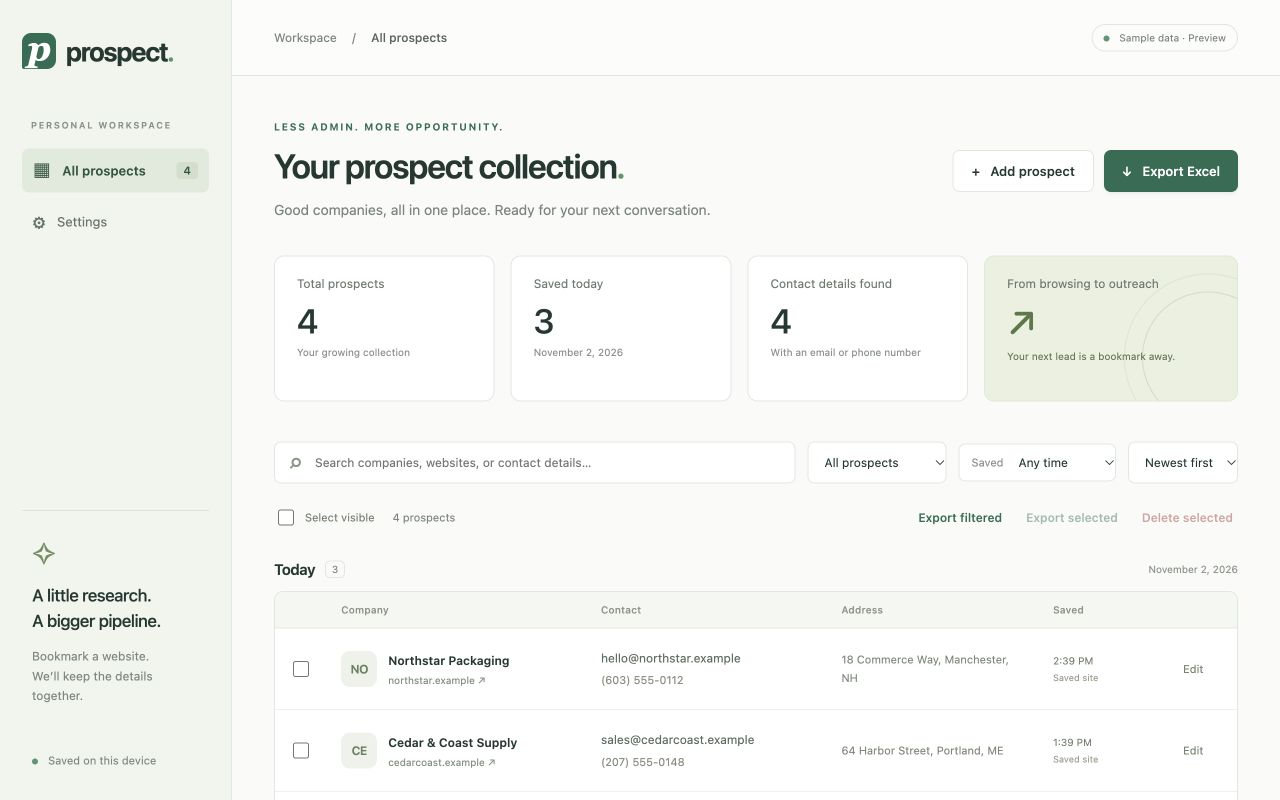
Company details and source links stay together. Find a prospect by name, website, or contact information.
Edit details, add custom fields, and choose the columns that belong in your export.
Download a real Excel workbook. Review and organize your list before moving it into your sales workflow.
YOUR PROSPECTS. YOUR BUSINESS.
Your prospect collection stays in your Chrome profile. No account to create. No developer-hosted database of your leads. No third-party enrichment service required.
Read our privacy policyExport a backup before uninstalling. Local storage does not sync your collection across devices.
Yes. Prospect — Sales Bookmarks is available as a free Chrome extension. You do not need an account to use its capture, organization, and Excel export features.
It captures available public company details such as the company name, website, email, phone number, and address. Results depend on the source website. Missing or uncertain details should be checked and edited before use.
ProspectClip is the website for Prospect — Sales Bookmarks, the name you’ll see in the Chrome Web Store and inside the extension.
Yes. You can import a bookmark folder, including subfolders, or save a window of website tabs. Imports visit the selected websites to look for available contact information.
Prospect is a lightweight research and list-building tool. It helps collect and review company information before outreach. It does not send emails, manage deals, or automatically sync to a CRM.
Your list is stored locally in your Chrome profile. The developer cannot recover it. Export an Excel backup before uninstalling or moving to a different device.
THE PROSPECTING NOTEBOOK
LESS COPYING. MORE CONNECTING.
Give it a place in your prospect collection.
Add to Chrome — it’s freeNo signup. Just install, browse, and save.